Tap Into a Better Breeze
Home » Breeze
What is Breeze?
Breeze is the regional fare payment system that makes it easy to pay for rides on Xpress and participating transit services throughout the region. With multiple payment options available, Breeze allows riders to choose the payment method that works best for them while providing a convenient and secure way to access transit services.
Choose How You Pay
Whether you prefer to tap a credit card, use your phone, purchase a Breeze Card, or pay with cash, Breeze gives you flexible ways to pay for your ride.
- Credit/Debit Card
- Mobile Wallet
- Physical Breeze Card
- Virtual Breeze Card
- Cash
Tap to Pay
Pay as you go with a contactless credit card, debit card, or mobile wallet.
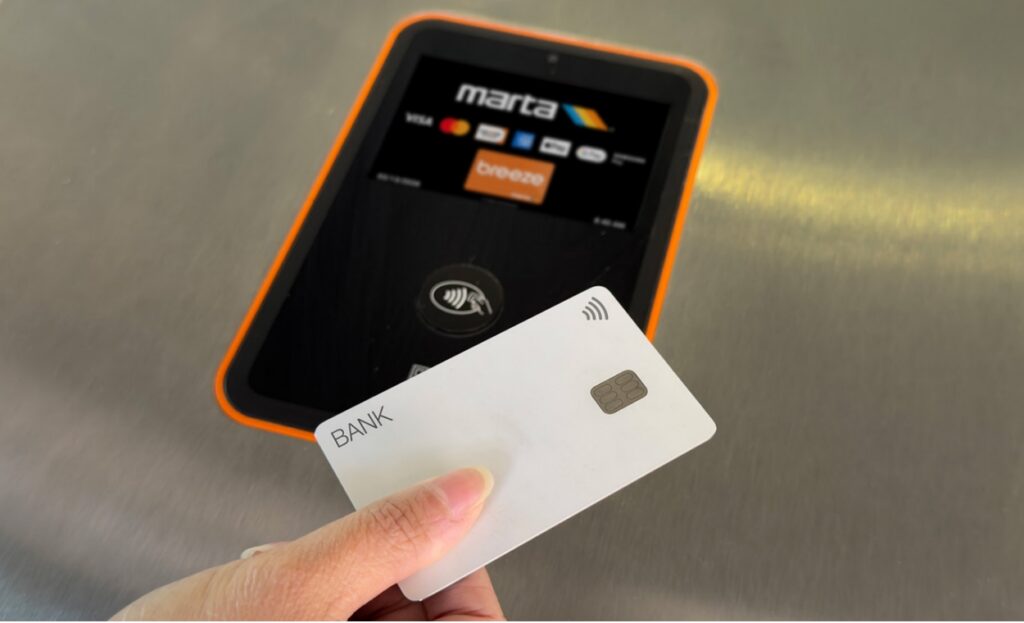
Tap to Pay with Credit or Debit Card
No Breeze Card required. Simply tap your contactless credit or debit card when boarding or exiting an Xpress bus.
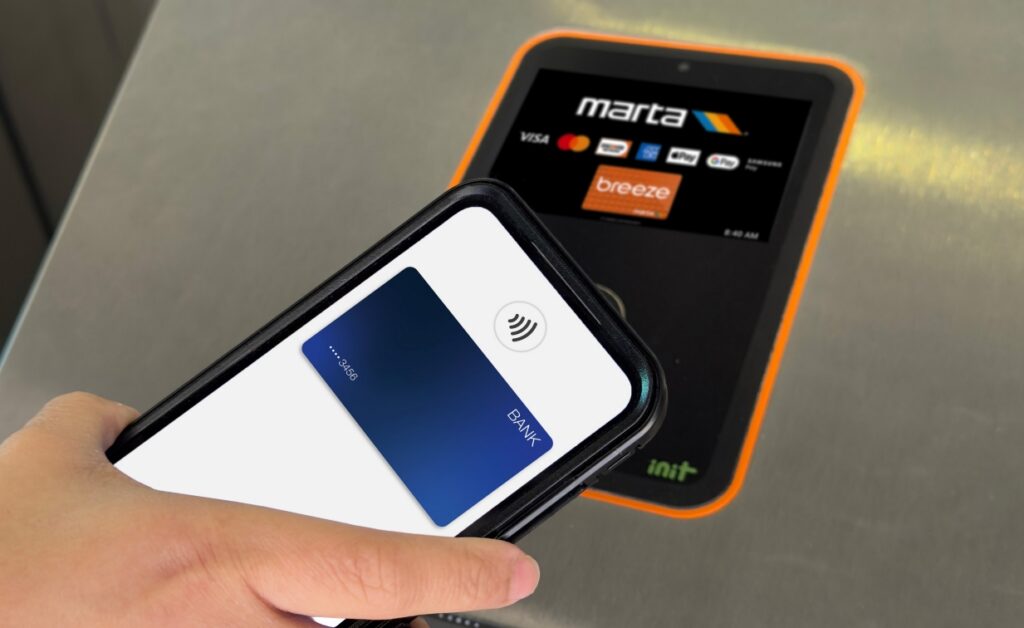
Tap and Pay Using Mobile Wallet
Use Apple Pay, Google Pay, or Samsung Wallet with a credit or debit card stored on your smartphone or smartwatch to pay as you go. For access to multi-trip and multi-day passes, as well as stored value, consider a virtual Breeze Card.
Breeze Cards
Breeze is the fare payment system used by Xpress and participating regional transit agencies, offering flexible payment options to fit your needs.
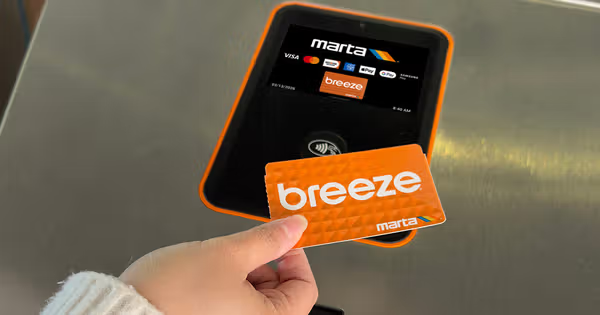
Physical Breeze Card
Buy a reloadable Breeze Card to purchase trips and passes or add stored value. To ride, tap yourBreeze Card when boarding orexiting an Xpress bus.
A one-time $2 card fee applies when purchasing a physical Breeze Card.
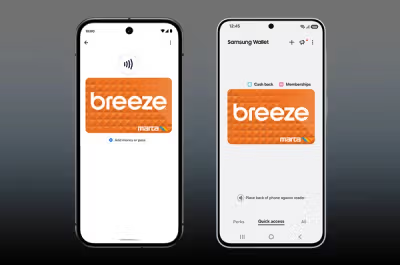
Virtual Breeze Card
Add a virtual Breeze Card to Apple Wallet, Google Wallet, or Samsung Wallet and manage fare directly from your phone.
Purchase passes, add stored value, and tap to ride without carrying a physical card.
A one-time $2 card fee applies when purchasing a virtual Breeze Card.
Cash
Xpress riders can pay with cash on buses, but exact change is required and fare cannot be loaded onto Breeze Cards on buses.
Cash fare is one-way only and does not include transfers.
Frequently Asked Questions
Overview of Breeze Fare Payment System
Overview of Breeze Fare Payment System
What is Breeze?
Breeze is the fare payment system used by Xpress and regional transit partners to purchase, manage, and pay fares.
With Breeze, riders can:
- Choose from multiple ways to pay, including credit cards, debit cards, mobile wallets, Breeze cards, and cash
- Purchase and manage fare online through breezecard.com, the Breeze Mobile App, or a virtual Breeze card
- Use the same fare system across Xpress, MARTA, CobbLinc, and Ride Gwinnett
What Xpress transit passes are available?
The following fare products are available for Xpress:
- One Trip
- Round-Trip
- 10-Trip Pass
- 31-Day Pass
What determines the cost of my fare?
Xpress routes are classified into two fare zones:
Green Zone
Routes serving park-and-ride locations closer to Atlanta.
Blue Zone
Routes serving park-and-ride locations farther from Atlanta.
Fare prices vary based on the zone served by your route. Visit this page and scroll down for a complete list of routes, park-and-ride locations, and fare zones.
Payment Choices
Payment Choices
Choose from multiple ways to pay, including credit cards, debit cards, mobile wallets, Breeze cards, and cash.
What is Open Payment?
Open Payment allows riders to pay their fare using a contactless credit card, debit card, or mobile wallet on a smartphone or smartwatch.
Simply tap your payment method on the validator when boarding the bus.
Ideal for occasional riders, visitors, and anyone who prefers to pay as they go without purchasing a Breeze card.
Transfer eligibility and fare capping benefits may apply when using Open Payment. See the questions below for additional details.
Can I use a credit or debit card to pay my fare?
Yes. Simply tap your contactless credit or debit card on the validator when boarding.
Credit and debit cards can be used through Open Payment and do not require a Breeze card or account.
Can I use Apple Pay, Google Pay, or Samsung Wallet to pay my fare?
Yes. Riders can use a credit or debit card stored in Apple Pay, Google Pay, or Samsung Wallet to pay their fare through Open Payment.
Apple Pay Setup Instructions: Click Here
Google Pay Setup Instructions: Click Here
Samsung Wallet Setup Instructions: Click Here
Can I use a physical Breeze card?
Yes. Physical Breeze cards can be used to purchase and store:
- One Trip
- Round-Trip
- 10-Trip Pass
- 31-Day Pass
Unlike Open Payment, Breeze cards allow riders to purchase and use fare products beyond a single trip.
Physical Breeze cards can be purchased online, at Breeze vending machines, RideStores, and Reduced Fare offices.
A one-time $2 card fee applies when purchasing a physical Breeze card.
Can I use a virtual Breeze card?
Yes. Virtual Breeze cards offer the same fare products and rider benefits as a physical Breeze card but can be stored directly in your mobile wallet (Apple Wallet, Google Wallet or Samsung Wallet).
With a virtual Breeze card, riders can:
- Purchase fare products
- Add and manage value digitally
- Tap and ride using a phone or smartwatch
- Manage their card through the Breeze Mobile App or breezecard.com
Unlike Open Payment methods, virtual Breeze cards allow riders to purchase and use Round-Trip, 10-Trip, and 31-Day passes.
A one-time $2 card fee applies when purchasing a virtual Breeze card.
A Breeze account is not required.
Which Payment Option Is Right for You?
A. Open Payment (Credit/Debit Card or Mobile Wallet)
This option may be right for you if:
- You’re an occasional rider or visitor.
- You prefer to pay as you go without purchasing a transit card.
- You want the fastest and most convenient way to board.
- You prefer using your existing credit card, debit card, smartphone, or smartwatch.
- You typically take single or infrequent trips.
- You want to take advantage of fare capping when eligible.
B. Physical Breeze Card
This option may be right for you if:
- You’re a regular rider.
- You want access to discounted fare products such as Round-Trip, 10-Trip, or 31-Day passes.
- You prefer carrying a physical transit card.
- You want to manage your fare through the Breeze website or mobile app.
- You want your card and fare products to work across participating regional transit partners.
- You may not always have access to a smartphone or mobile wallet.
C. Virtual Breeze Card
This option may be right for you if:
- You want the same fare options and benefits available with a physical Breeze card.
- You ride frequently and want access to fare products such as Round-Trip, 10-Trip, or 31-Day passes.
- You prefer managing your fare digitally through your phone.
- You want to add fare products and stored value electronically.
- You use your Breeze card in your mobile wallet and want to tap and ride using your smartphone or smartwatch.
- You want the convenience of a Breeze card without carrying a separate physical card.
- You do not want to create a Breeze account.
Quick Comparison
Still not sure which option is right for you? The chart below provides a side-by-side comparison.
| Feature | Open Payment | Physical Breeze Card | Virtual Breeze Card |
| Credit/Debit Card Accepted | ✓ | ||
| Apple Pay, Google Pay, Samsung Wallet | ✓ (credit/debit card) | ✓ (Breeze card) | |
| Fare Products (Round-Trip, 10-Trip, 31-Day) | ✓ | ✓ | |
| Stored Value | ✓ | ✓ | ✓ |
| Fare Capping Eligible | ✓ | ✓ (when using stored value) | ✓ (when using stored value) |
| No Breeze Account Required | ✓ | ✓ | |
| Physical Card Required | ✓ | ||
| Smartphone Required | Only if using mobile wallet | ✓ | |
| Best for Frequent Riders | ✓ | ✓ | |
| Best for Occasional Riders | ✓ |
Can I use a virtual Breeze card on Apple Wallet?
Yes.
Virtual Breeze cards can be added directly to Apple Wallet and used anywhere Breeze is accepted.
A one-time $2 card fee applies when purchasing a virtual Breeze card.
How to add a virtual Breeze card: Click Here
What is Apple Express Mode and how do I enable it?
Apple Express Mode allows you to pay your fare using a virtual Breeze card in Apple Wallet without unlocking your iPhone or Apple Watch, opening an app, or using Face ID or Touch ID.
Once Express Mode is enabled, simply hold your device near the fare validator to pay and ride. It is designed to make boarding faster and more convenient when using a virtual Breeze card.
How to Enable Apple Express Mode: Click Here
Can I use my virtual Breeze card if my iPhone battery dies?
You may still be able to use your Breeze card in Apple Wallet when your iPhone battery is dead. Compatible iPhones support Power Reserve, which allows Express Mode transactions for a limited period after the device powers down.
Can I use a virtual Breeze card on Google Wallet or Samsung Wallet?
Yes.
Virtual Breeze cards can be added directly to Google Wallet and Samsung Wallet and used anywhere Breeze is accepted.
A one-time $2 card fee applies when purchasing a virtual Breeze card.
How to add a virtual Breeze card:
- Google and Samsung Wallet: Click Here
To ride, simply tap your phone or smartwatch on the validator.
Can I use cash to pay my fare?
Yes. Cash is accepted on all Xpress buses.
Please note:
- Exact change is required
- Cash is valid for one-trip fares only
- Cash fares do not include transfers
Customers may also purchase Breeze cards and tickets using cash at Breeze vending machines, Ride Stores, and Reduced Fare offices.
Can I buy passes for family and friends?
Yes! But each customer needs their own form of payment. Do not “pass back” a Breeze card, bank card, or mobile wallet for others to use. If traveling with children or an individual without their own form of payment, you may purchase fare at any new touchscreen ticket vending machine or tap a different bank card at the faregate or validator than the one you used.
Fare Capping & Rider Policies
Fare Capping & Rider Policies
What is Fare Capping?
Fare capping ensures you never pay more than the cost of a Round-Trip fare in a single day when using eligible payment methods.
For example:
- Green Zone: Two one-way trips would normally cost $6, but fare capping limits the daily cost to $5.
- Blue Zone: Two one-way trips would normally cost $8, but fare capping limits the daily cost to $7.
To qualify for fare capping:
- Both trips must occur within the same fare zone.
- The same payment method must be used for both trips.
- Trips must be at least three hours apart.
- Fare capping only applies when using Tap to Pay (open payment methods) or store value.
Important: Fare capping does not apply to fare products.
Fare products include:
- One-Trip tickets
- Round-Trip passes
- 10-Trip passes
- 31-Day passes
For example, if you purchase an Xpress Green Zone One-Trip fare product in the morning and purchase another Xpress Green Zone One-Trip fare product later that day, the system will not automatically cap your fare at $5. In that case, you would pay the full cost of both fares ($6 total). To receive fare capping benefits, riders should use Tap to Pay (open payment) or store value rather than purchasing individual fare products.
Using Breeze with Transit Partners
Using Breeze with Transit Partners
Is the Breeze system compatible with Xpress regional transit partners?
Yes. The Breeze system is fully integrated with all regional transit partners, including MARTA, CobbLinc, and Ride Gwinnett. All partners now use the same system, creating a more seamless travel experience across participating transit networks.
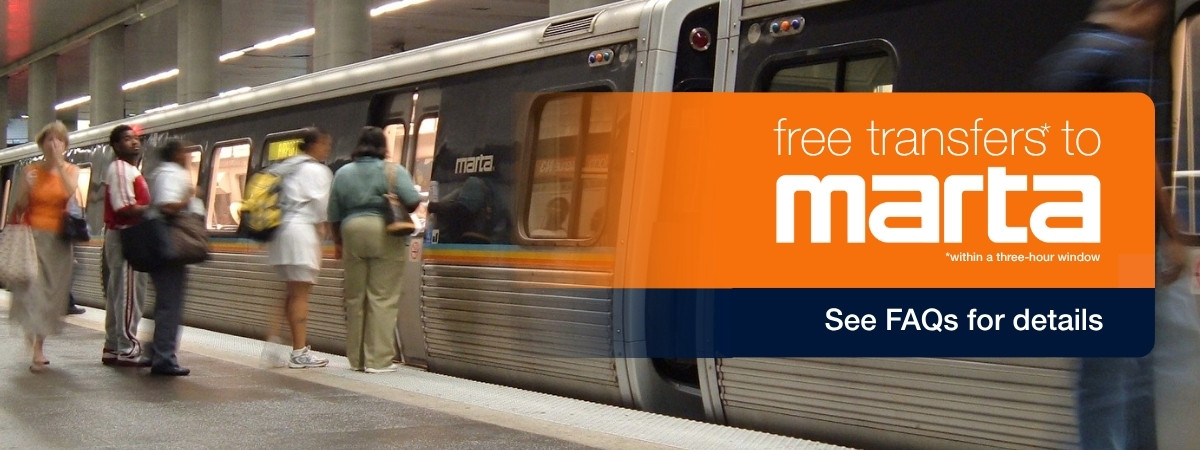
Transfers between Xpress and MARTA are free when completed within a three-hour timeframe. Transfers from CobbLinc or Ride Gwinnett to Xpress require an upcharge. Transfers from Xpress to CobbLinc or Ride Gwinnett are not available.
How do I use Breeze to transfer between Xpress and MARTA?
Transfers between Xpress and MARTA are free when completed within a three-hour timeframe. Riders transferring from CobbLinc or Ride Gwinnett to Xpress may be required to pay an upcharge. Transfers are not available from Xpress to CobbLinc or Ride Gwinnett.
Transferring Using Open Payment
- Riders using a credit card, debit card, or mobile wallet can receive free transfers between Xpress and MARTA when using the same payment method for both portions of the trip within a three-hour timeframe.
- To receive the free transfer, you must use the exact same payment method when beginning your trip and when transferring. For example, if you tap a credit card when starting your trip, you must use that same credit card when transferring.
- Transfers from CobbLinc or Ride Gwinnett to Xpress using open payment will include an upcharge.
Important: Even if your bank card and mobile wallet are linked to the same bank account, they are treated as different payment methods by the system. Always use the exact same payment method when transferring.
Transferring Using a Physical or Virtual Breeze Card
- Riders using a physical or virtual Breeze card can receive free transfers between Xpress and MARTA when using the same card for both portions of the trip within a three-hour timeframe.
- If using a physical Breeze card, tap the same card when boarding. If using a virtual Breeze card, use the same virtual card for both trips.
- Transfers from CobbLinc or Ride Gwinnett to Xpress require an upcharge. The upcharge will be deducted from available stored value. If sufficient stored value is not available, the card balance may go negative.
Should I use the same payment method throughout my trip for Fare Capping to apply?
Yes. To ensure transfers and fare capping are applied correctly, you must use the same payment method throughout your trip.
Even if your debit or credit card is linked to your mobile wallet, the physical card and the mobile wallet version are treated as separate payment methods by the system.
For example, if you begin your trip using Apple Pay, you should continue using Apple Pay throughout your trip. Switching to the physical version of the same card may prevent fare capping or transfer benefits from applying.
How do transfers between Xpress and other regional transit systems work?
Transfers between Xpress and MARTA are free within a three-hour window. However, you must first pay the fare for the transit service where your trip begins. Free transfers apply only to the next connecting transit service within the transfer window. They do not provide unlimited rides throughout the day after a single fare payment.
Transfers from CobbLinc or Ride Gwinnett to Xpress require an upcharge. The upcharge will be deducted from available stored value, if applicable.
Transfers from Xpress to CobbLinc or Ride Gwinnett are not available.
Can multiple riders use the same card?
No. Each rider must use their own form of payment.
Do not pass back a Breeze card, bank card, or mobile wallet for another rider to use.
If traveling with children or someone without their own form of payment, additional fare products may be purchased at Breeze vending machines. You may also pay for a companion using a different contactless-enabled bank card than the one you used.
Breeze Accounts and Cards
Breeze Accounts and Cards
Is a Breeze Account required to ride Xpress?
No. Riders can pay their fare using a credit card, debit card, mobile wallet, or cash without creating a Breeze account. You can even use the Breeze virtual card without setting up an account if you like.
A Breeze account is recommended if you would like to:
- Manage your Breeze card online
- Purchase and manage fare products online
- Protect your balance if your card is lost or stolen
- View account activity and trip history
- Access discounted fare options such as Round-Trip, 10-Trip, and 31-Day passes
How do I create a Breeze account?
Create a Breeze account at breezecard.com or through the Breeze Mobile App.
Google Play: Click Here
Apple: Click Here
How do I reset my password?
- Select “Forgot Password” on the login screen.
- Enter your email address.
- Check your email for a verification code.
- Enter the code.
- Create and confirm a new password.
- Log in with your new password.
How do I link my Breeze card to my Breeze account?
Once you have a Breeze account, you can link your physical Breeze card to manage it online and access additional account features.
To link your Breeze card:
- Sign in to your account on the Breeze Mobile App or at breezecard.com.
- Select Add Card or Link Card.
- Enter your Breeze card number and any requested card information.
- Follow the prompts to complete the linking process.
Once your card is linked, you can:
- View card activity and transactions
- Add fare products and stored value
- Set up autoloads
- Manage your card online
- Protect your balance if your card is lost or stolen
Empty heading
How do I transfer my balance from my former Breeze account?
Xpress, MARTA, CobbLinc, and Ride Gwinnett will accommodate balance transfers from registered legacy Breeze accounts to registered Breeze accounts through October 30, 2026.
Before beginning the transfer process, customers must have a new orange Breeze card or a new black Reduced Fare or Mobility card.
To transfer your balance:
- Visit breezecard.com.
- Sign in or create an account.
- Link your new Breeze card.
- Select “Transfer Legacy Card Balance/Passes.”
- Enter your old Breeze card number or Breeze Mobile 2.0 account email.
- Verify the transfer.
Balance transfers will not be available after October 30, 2026.
Can I convert my physical Breeze card into a virtual Breeze card?
Yes.
Currently, this functionality is only available for Android users with Google Wallet and Samsung Wallet.
If your physical Breeze card is linked to your Breeze account, you can transfer it to a virtual Breeze card through your mobile wallet. Any stored value and active passes associated with the physical card will transfer to the virtual card.
Once the conversion is complete, the physical card will be permanently disabled.
There is no fee to convert a physical Breeze card into a virtual card.
Support for converting a physical Breeze card to a virtual Breeze card in Apple Wallet is expected in Summer 2026.
Empty heading
How do I buy a Breeze card online?
Visit breezecard.com and select “Get a Card” and choose “Buy Cards Online”.
Choose the card you would like to purchase, add fare products or stored value if desired, and complete checkout.
Your card will be shipped to you.
Can I buy and reload my Breeze card in person?
Yes. Customers may purchase and reload Breeze cards at:
- Breeze vending machines
- Ride Stores
- Reduced Fare offices
Customers may also manage cards online through breezecard.com or the Breeze Mobile App.
Can I use the Breeze app as a way to pay for my fare?
No. The Breeze Mobile App cannot be used as a payment method.
To pay your fare, use:
- A physical or virtual Breeze card
- A credit or debit card
- A mobile wallet
- Cash
What does the credit/debit card in the app do?
The credit/debit card you add to the app is only used to purchase fare products or add stored value to your Breeze card. The same card may still be used as open payment at the fare gate.
However, you cannot tap the app to charge the debit/credit card stored in the app.
Can I link Apple Pay, Google Pay, or Samsung Pay to my Breeze account?
No. Apple Pay, Google Pay, and Samsung Pay are not connected to Breeze accounts.
Mobile wallets operate independently and are treated as separate forms of payment.
You may:
- Use a debit or credit card stored in a mobile wallet for open payment
- Use a virtual Breeze card stored in a mobile wallet
These are separate payment methods.
How do I transfer my balance from my former Breeze account?
Xpress, MARTA, CobbLinc, and Ride Gwinnett will accommodate balance transfers from registered legacy Breeze accounts to registered Breeze accounts through October 30, 2026.
Before beginning the transfer process, customers must have a new orange Breeze card or a new black Reduced Fare or Mobility card.
To transfer your balance:
- Visit breezecard.com.
- Sign in or create an account.
- Link your new Breeze card.
- Select “Transfer Legacy Card Balance/Passes.”
- Enter your old Breeze card number or Breeze Mobile 2.0 account email.
- Verify the transfer.
Balance transfers will not be available after October 31, 2026.
Institutional Partners
Institutional Partners
Who Are Institutional Partners?
Institutional Partners are organizations, such as employers, research institutions, or agencies, that purchase Breeze cards or transit passes in bulk for employees or members. Administrators can manage transit passes and assign them to employees through the Breeze portal, making it easier to support their teams’ commuting needs.
Are there any additional fare options available for purchase under Breeze?
No. There are no changes to fare options for Institutional Partners under Breeze. Institutional Partners will continue to have access to purchase calendar monthly passes, 10-Trip passes, and 20-Trip passes.
How will new cards be assigned to employees?
Administrators will assign new Breeze cards to employees through the Breeze portal.
Will administrators be able to add fare value to a Breeze card instead of a fare product?
No. Institutional Partners will continue to purchase and assign fare products rather than adding a dollar value to employee cards.
Will Institutional Partners be able to add a specific dollar value to new Breeze cards each month?
No. Institutional Partners will continue to purchase and assign fare products rather than adding a specific dollar value to employee cards.
When an employee is assigned a new card, will the fare be immediately available, or will employees need to wait until the first day of the month?
Fare will be immediately available once the card is assigned. However, monthly fare products will begin on the first day of the month.
Do employees need to activate the new Breeze card by tapping on the system?
No. The card is activated in real time when it is assigned within the portal.
Can employees add their institutional Breeze card to a mobile wallet?
At this time, we recommend keeping institutional Breeze cards in their physical form and not adding them to a mobile wallet.
If you choose to add your institutional card to Apple Wallet, Google Wallet, or Samsung Wallet, please notify your program coordinator before doing so.
Troubleshooting and Support
Troubleshooting and Support
What security precautions are in place to protect my personal information?
- The Breeze system is fully certified and compliant with Payment Card Industry Data Security Standards (PCI DSS).
- Payment information is encrypted during transmission.
- Systems are continuously monitored for security vulnerabilities.
- Sensitive data is securely encrypted and protected.
Empty heading
Can I get a refund if I lose my device or purchase the wrong ticket?
Refunds are not available through breezecard.com or the Breeze Mobile App.
If you believe you are entitled to a refund, please contact MARTA Customer Service at 404.848.5000 or Xpress Customer Service at 844-XPRSSGA (977-7742).
How do I contact customer support?
For assistance with Breeze, contact:
Xpress Customer Service
844-XPRSSGA (977-7742)
MARTA Customer Service
404.848.5000
Hours of Operation
Monday–Friday, 8:00 a.m. to 5:00 p.m.
Who to Contact for Additional Help
For help with the better Breeze app, you can call Xpress’ Customer Service at 844-XPRSSGA (977-7742) or MARTA’s Customer Service at (404) 848.5000
Hours of Operation: Monday-Friday, 8:00 a.m. until 5:00 p.m.